 LiveClaude
LiveClaude
LiveClaude
LiveClaude keeps Claude Code Remote Control servers running on Windows, Linux and macOS — one per project directory, restarted after a crash, at logon and after a reboot. Plus a desktop app with a real terminal inside it.
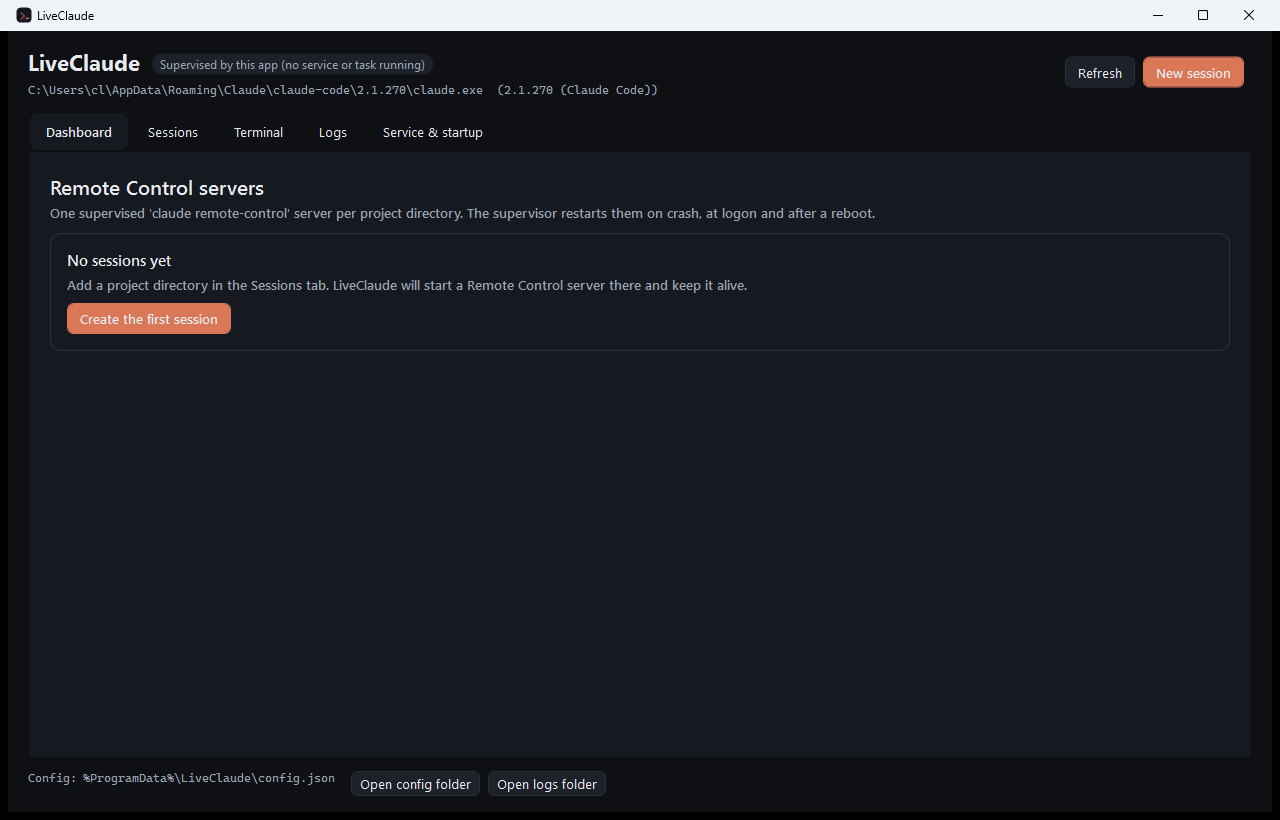
Remote Control is a foreground process in a terminal: close the window, hit a crash or reboot the machine and your phone loses the machine. LiveClaude turns it into infrastructure.
Exponential backoff after a crash, a restart budget you choose, and automatic reattachment to the previous session when it is still inside Remote Control's four-hour window.
A scheduled task, a systemd user unit or a LaunchAgent runs in your own session and survives sign-in and boot. A Windows service, a systemd system unit or a LaunchDaemon starts before anyone signs in. All of them are installed, started and removed from the app.
Spawn mode, permission mode, capacity, worktrees, session-name prefix, fixed session id, sandbox, model, extra arguments — with a live preview of the exact command line.
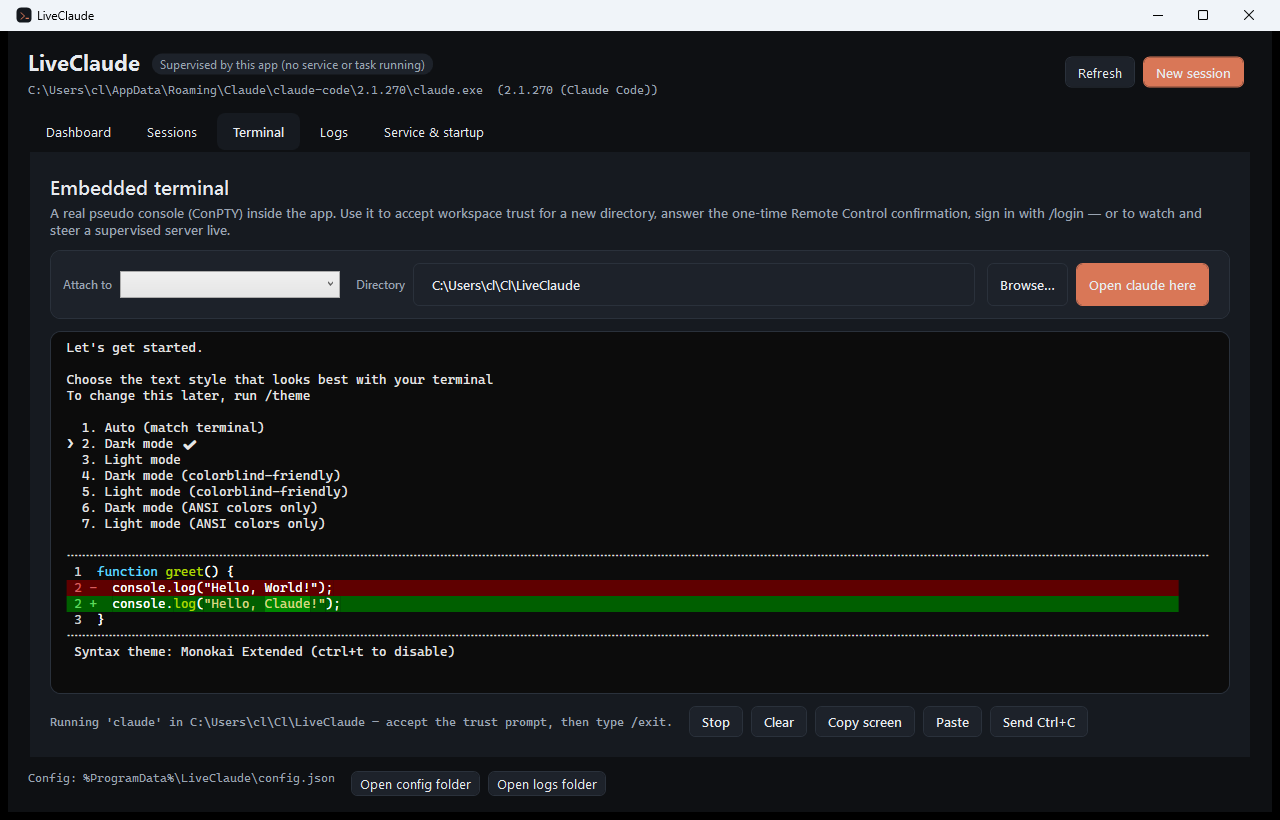
Workspace trust, the one-time Remote Control confirmation and /login all need a terminal.
There is one in the app — and you can attach to a running server and type into it.
Running, starting, needs attention, backing off, failed. Session URLs one click away, rolling per-instance logs, and a supervisor log for the host itself.
.NET 10 and WPF. ConPTY and the VT emulator are written from scratch — no Node, no web view, no tmux, no native dependencies beyond Win32.
Windows 10 1809+, Linux with systemd, or macOS 12+ — and a Claude Code sign-in on a Pro, Max, Team or Enterprise plan.
winget install LeandroCannizzaro.LiveClaude
Installs both liveclaude (the app) and liveclaude-service (the supervisor CLI).
# after extracting the zip
./Install-LiveClaude.ps1 -RegisterTask -Launch
The script copies the files to %LOCALAPPDATA%\Programs\LiveClaude, creates a Start Menu
shortcut and registers the supervisor task. No administrator rights needed. Pick the
-selfcontained zip to skip the .NET runtime prerequisite.
Installs for the current user and checks for updates on every launch.
Your browser will download LiveClaude.application; open it to install. Requires the
.NET 10 Runtime. The manifests are
unsigned, so SmartScreen asks for a confirmation the first time.
Still on 1.x? That channel is frozen at 1.0.15 and keeps working — 2.0 is a separate install, not an update, because it is a different application underneath. Install it alongside and remove 1.x when you are happy.
curl -fsSL https://leandrocannizzaro.github.io/LiveClaude/install.sh | sh
Picks the .deb, .rpm or tarball for your machine, installs it to
/opt/liveclaude and puts liveclaude and
liveclaude-supervisor on your PATH. x86_64 and arm64. Self-contained — no .NET
runtime needed.
Autostart is a systemd user unit, installed from the app or with
liveclaude-supervisor install-autostart. Starting before you sign in additionally
needs loginctl enable-linger, which the app offers to do for you.
curl -fsSL https://leandrocannizzaro.github.io/LiveClaude/install-macos.sh | sh
Downloads the .dmg for your Mac, copies the app to /Applications and
clears the quarantine flag. Apple silicon and Intel. Self-contained.
Installing the .dmg by hand works too — but the app is not notarised
yet, so macOS refuses the first launch: right-click the app and choose Open,
once. The script exists to spare you that.
Autostart is a LaunchAgent. A LaunchDaemon can start before sign-in, but the login Keychain — where Claude Code keeps its token — stays locked until somebody signs in.
git clone https://github.com/LeandroCannizzaro/LiveClaude.git
cd LiveClaude
dotnet build -c Release
dotnet run --project src/LiveClaude.App
The supervisor owns one claude remote-control server per directory, each inside its own
pseudo terminal. The app talks to it over a named pipe on Windows and a Unix socket elsewhere, so you can
close the window and the servers keep going.
| Step | What happens |
|---|---|
| Add a session | A directory, a name and the flags you want. Saved to %ProgramData%\LiveClaude\config.json,
which the supervisor watches. |
| Trust once | Claude Code asks for workspace trust the first time it runs in a folder, and again for the one-time Remote Control confirmation. Both are answered in the app's terminal tab. |
| Supervise | The server is started windowless in a ConPTY. Output is parsed for the session URL and for the states that need you, and written to a rolling log. |
| Recover | On exit: backoff, restart, and --continue when the previous session can still be
reattached. At logon and after a reboot: the task or the service brings everything back. |
Remote Control's four-hour window. A stopped server's sessions can only be brought back for
about four hours. LiveClaude reattaches while it can and starts a fresh session afterwards — the conversations
themselves stay resumable locally with claude --resume.